




Parental speed control is a technology that lets you set a maximum speed or receive alerts when a vehicle or ride-on exceeds a threshold you choose. You’ll find it in three common forms: built-in car settings like Ford MyKey or GM Teen Driver that cap top speed for teen drivers; telematics apps and OBD-II dongles that send real-time alerts to your phone when a young driver speeds; and remote-control limiters or kill switches on kids’ ATVs and electric ride-ons that let you cut power instantly from a handheld remote.
The rest of this guide explains how each type works, where to find it, and how to set sensible limits for your child’s age and experience.
- Built-in OEM systems: Speed caps and in-vehicle warnings programmed directly into the car (Ford MyKey, GM Teen Driver, Tesla parental controls)
- Telematics apps and OBD-II dongles: Plug-in or subscription-based devices that send GPS-tracked speed alerts and trip reports to a parent’s phone
- Ride-on remotes and governors: Handheld remote kill switches, wired throttle governors, and adjustable speed modes on kids’ ATVs and electric go-karts
Key Takeaways
Parental speed control gives parents a structured, evidence-based way to limit risk during the learning period, whether the vehicle is a family car or a backyard ATV.
| Point | Details |
|---|---|
| Three main system types | OEM built-in controls, telematics apps with OBD dongles, and ride-on remotes or governors each work differently. |
| Alerts vs. active limits | Alert-only systems notify you after a threshold is crossed; active limiters physically restrict throttle or cut ignition. |
| Coaching over surveillance | Use post-trip reviews and trip maps to guide conversations, not immediate confrontations during the drive. |
| Privacy and tampering risks | Review data-sharing policies and secure OBD dongles; reserve remote kill switches for off-road and private-property use only. |
| Gokartsusa ride-ons | Models like the Mini Sport Kids ATV ship with parental remote start/kill built in, removing the need for aftermarket hardware. |
Table of Contents
- What is parental speed control and how does it actually work?
- Where you can find parental speed controls on cars, apps, and ride-ons
- Why parents use speed controls: safety, coaching, and graduated freedom
- Limitations and privacy tradeoffs you should know before enabling controls
- How to set sensible speed limits and when to relax them
- Complementary safety measures that work alongside speed controls
- Real ride-on features to look for, and a shopping checklist from Gokartsusa
- A note on balancing safety and independence
- Gokartsusa ride-ons with parental controls built right in
- Sources
What is parental speed control and how does it actually work?
Not every system does the same thing, and the difference matters a lot before you buy or configure one.
Alert-only systems gather data from GPS satellites or the vehicle’s onboard network and push a notification to your phone when a threshold is crossed. They do not touch the throttle. You see where and when the event happened, but the vehicle keeps moving. Verizon’s Family Plus service works this way, logging real-time speed alerts and trip history so you can review the full route after the drive rather than reacting mid-trip.
Active limiters go further. They intervene in the vehicle’s throttle or ignition to physically prevent the vehicle from exceeding a set speed. Aftermarket devices now use GPS-based speed-limit data and throttle interventions to stop teen drivers from exceeding posted limits. On kids’ ride-ons, the same principle shows up as a wired governor that restricts the motor’s output or a remote kill switch that cuts power entirely.
How data flows through a typical system:
- A GPS receiver or vehicle speed sensor captures current speed
- The data is compared against your configured threshold
- If the threshold is crossed, the system either sends an alert, triggers an in-vehicle warning tone, restricts throttle output, or cuts ignition
- A notification or trip report reaches the parent app
Think of it like a router’s per-device bandwidth cap. TP-Link’s Speed Limit feature enforces a ceiling on any device you choose, and the vehicle equivalent enforces a ceiling on any driver profile you assign. The mechanism differs, but the policy logic is identical.
Pro Tip: When a speed alert fires, resist calling your teen immediately. Wait until they are parked, then open the trip map together and ask what was happening at that moment on the road. That one habit turns surveillance into coaching.
Where you can find parental speed controls on cars, apps, and ride-ons
OEM built-in systems
Ford’s MyKey lets you program a key fob that caps top speed, limits audio volume, and chimes at set speeds. GM’s Teen Driver system goes further: it provides configurable speed warnings, an 85 MPH maximum speed cap on select models, and a report card parents can review after each trip. Tesla’s parental controls, added in software update 2024.26, let you set a maximum speed and restrict acceleration modes through a PIN-protected driver profile in the vehicle or the Tesla app.
Telematics apps and OBD-II dongles
Subscription services like Verizon Hum pair a small OBD-II dongle with a smartphone app to add speed alerts, geo-fencing, and trip reports to almost any vehicle built after 1996. The dongle reads vehicle speed directly from the CAN bus, so the data is accurate to the car’s own speedometer. Setup takes under five minutes.
Aftermarket active limiters
A newer category of device goes beyond alerts. These units connect to the vehicle’s throttle circuit and use mapped speed-limit data to prevent the car from exceeding the posted limit on any given road. The market is evolving quickly, and subscription costs and vehicle compatibility vary widely, so check both before purchasing.
Ride-on toys and youth ATVs
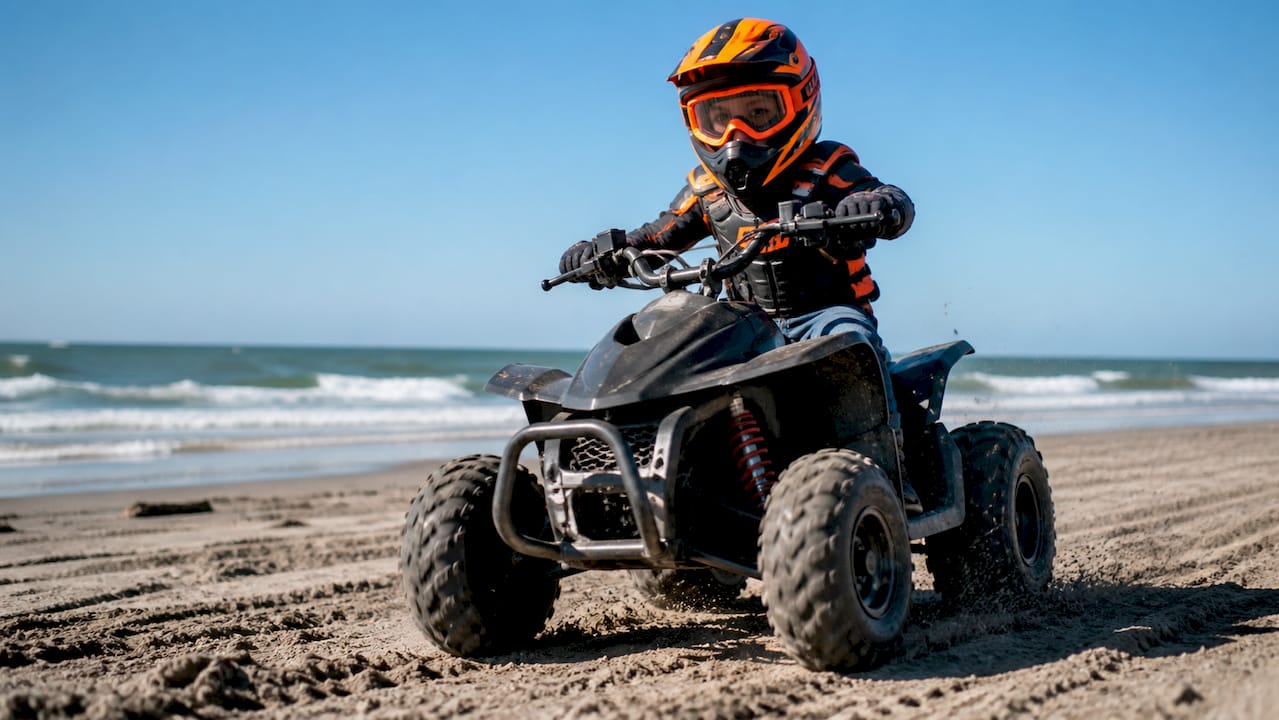
This is where parental speed control is most hands-on and most immediate. Electric ride-ons often ship with a three-speed mode selector (turtle, medium, rabbit) that you set before the child rides. Gas-powered kids’ ATVs frequently include a wired throttle governor you can tighten or loosen with a screwdriver, plus a handheld remote that lets you cut the engine from across the yard. The parental controls guide for ATVs from Gokartsusa covers the legal and practical considerations for these systems in detail.
What to look for in a product listing or owner manual:
- “Parental remote start/kill” or “remote kill switch”
- “Adjustable speed modes” or “speed limiter”
- “Throttle governor” or “governor screw”
- “Driver profile” or “restricted mode” (for car OEM systems)
- Maximum speed cap value (e.g., 85 MPH for GM Teen Driver)
Why parents use speed controls: safety, coaching, and graduated freedom
Speed is the single biggest variable in crash severity during the learning period. That alone justifies the technology. But the parents who get the most out of these systems use them for coaching, not just enforcement.
Objective trip data changes the conversation. Instead of “I heard you were driving fast,” you can say “The map shows you hit 52 in a 35 zone on Oak Street at 9:15 PM. What was going on?” That specificity is harder to dismiss and easier to learn from.
Graduated permissions are the third use case. Start with a hard speed cap or the lowest ride-on speed mode. After a set number of incident-free hours, raise the limit one step. This mirrors the logic behind graduated driver licensing (GDL) programs and gives your teen a clear, earned path toward full independence.
Beyond speed, many telematics systems also flag hard braking, sharp cornering, and phone use while driving. That additional context helps you understand whether a speed event was a momentary lapse or part of a broader pattern.
Limitations and privacy tradeoffs you should know before enabling controls
GPS inaccuracies can trigger false alerts. A speed reading that spikes briefly when a signal bounces off a building, or a threshold crossed on a highway on-ramp, may look alarming in the app but be entirely normal driving. Context always matters before reacting.
Privacy is a real consideration. Telematics apps store location history, trip routes, and event logs, sometimes on third-party servers. Before subscribing, read the data retention and sharing policy. Apple’s Family Sharing and Content & Privacy Restrictions offer a useful parallel: built-in controls keep data within the device ecosystem, while third-party apps introduce additional data handlers. The same principle applies to vehicle telematics.
Tampering is a genuine risk with aftermarket OBD dongles. A teen who knows the dongle is the source of alerts can simply unplug it. If that happens, you lose visibility entirely. Mount the device out of easy reach, or choose a system that alerts you when the dongle disconnects.
Legal caution: Active immobilization of a moving on-road vehicle creates serious liability. Remote kill switches are appropriate for off-road ride-ons and ATVs on private property. Never use a remote kill feature on a vehicle traveling on public roads. Consult your vehicle’s owner manual before enabling any active throttle intervention. Google Family Link illustrates how account-level supervision and scheduled limits work in digital contexts, but vehicle immobilization carries physical safety consequences that digital controls do not.
Pro Tip: Make post-trip review the standard, not the exception. When teens know that every trip gets a calm debrief rather than an immediate confrontation, the data becomes a shared tool instead of a surveillance weapon.
- Watch for false positives on highway on-ramps and GPS dead zones
- Review the app’s data-sharing policy before subscribing
- Secure OBD dongles away from easy reach
- Reserve remote kill switches for off-road and private-property use only
How to set sensible speed limits and when to relax them
Follow these steps to configure a system that works without creating constant friction:
- Check the owner manual or app documentation to confirm whether your system supports active limiting, alerts only, or both.
- Choose your control type. For new teen drivers, start with alerts plus an in-vehicle warning. Reserve active throttle limiting for ride-ons or vehicles where the manufacturer explicitly supports it.
- Set an initial threshold that is realistic for your area. A threshold set too low generates constant false alerts and trains everyone to ignore them.
- Test on a known route. Drive the route yourself at the legal limit and confirm the alert fires at the right moment and clears correctly.
- Enable trip reports and notifications in the parent app and confirm they arrive on your device.
- Agree on the coaching rules with your teen before the first monitored drive. Explain what you will look at, how you will bring it up, and what the path to fewer restrictions looks like.
Example speed thresholds by context:
After setup, verify these items:
- Notifications arrive on your phone within a reasonable delay
- The dongle or device is secured and not easily accessible to the driver
- Your account credentials are stored somewhere the teen cannot access
- Your teen knows the system is active and understands the coaching agreement
Remove or relax controls when your teen completes a recognized driver education course, logs a set number of supervised hours without incidents, and goes a full month without a flagged event. Tie each relaxation to a specific milestone, not a calendar date.
Complementary safety measures that work alongside speed controls
Technology alone does not build safe driving habits. The most effective safety plans pair controls with instruction and clear expectations.
Formal driver education, including behind-the-wheel time with a certified instructor, builds the foundational skills that no app can replace. GDL programs in most U.S. states already restrict nighttime driving and passenger counts for new licensees. Use your household speed controls to enforce rules that go beyond the legal minimum, not to replace the legal framework.
Behavioral strategies matter just as much. A written driving agreement that spells out consequences for speeding, phone use, and curfew violations gives your teen a clear standard to meet. Pair it with genuine incentives: more driving freedom, later curfews, or access to highway driving after a clean month.
Pro Tip: Role modeling is the most underrated safety tool available. Teens who regularly ride with adults who speed, tailgate, or use phones while driving absorb those habits regardless of what the app reports. Your own driving behavior sets the baseline.
Enable every factory safety feature your vehicle offers alongside any parental speed control: electronic stability control, forward collision warning, and lane-keeping assist all reduce risk independently of speed limits.
- Enroll teens in a state-recognized driver education program before solo driving
- Align household rules with your state’s GDL restrictions
- Use a written driving agreement with specific, agreed consequences
- Enable all factory electronic safety aids
Real ride-on features to look for, and a shopping checklist from Gokartsusa
For younger children on ATVs and electric ride-ons, parental speed control is built into the hardware itself. Here is what to look for when reading a product page:
- Parental remote start/kill: A handheld remote that starts or cuts the engine from a distance, giving you instant control without chasing the vehicle
- Adjustable speed modes: A selector (often labeled 1/2/3 or turtle/rabbit) that caps the motor’s output at each setting
- Throttle governor screw: A mechanical adjustment on gas-powered ATVs that limits how far the throttle can open
- Tether/lanyard kill switch: A cord attached to the rider that cuts the engine if they fall off
- Age and weight rating: Confirms the vehicle is sized correctly for your child’s physical development
The Mini Sport Kids ATV with parental remote start/kill from Gokartsusa is a strong example of a gas-powered youth ATV that ships with a remote kill feature built in. The TrailMaster iMini Kids Electric Go-Kart offers adjustable speed modes suited to younger riders still building confidence.
Shopping checklist for parents:
| Feature | What to check | Why it matters |
|---|---|---|
| Parental remote start/kill | Listed in specs or product description | Gives instant override from a distance |
| Speed mode selector | Number of modes and max speed per mode | Lets you match speed to skill level |
| Governor screw (gas models) | Mentioned in owner manual | Mechanical backup to electronic limits |
| Age/weight rating | Matches your child’s current size | Prevents underpowered or overpowered fit |
| Safety gear included | Helmet, pads, or gear listed | Reduces out-of-pocket cost and ensures fit |
| Return and warranty policy | Days to return, what’s covered | Protects your purchase if specs don’t match |
A note on balancing safety and independence
Speed controls work best when they are transparent, agreed upon, and temporary. The goal is not to keep your child slow forever. It is to give them a structured path toward the freedom they are working to earn. We have seen parents who use these tools as a coaching framework build more trust with their teens than those who either ignore speed entirely or react to every alert with a confrontation. The data is a conversation starter, not a verdict.
If you are shopping for a ride-on with built-in parental controls or want guidance on which models include remote kill features, our team at Gokartsusa is here to help you find the right fit for your child’s age, skill level, and your peace of mind.
Gokartsusa ride-ons with parental controls built right in
Parents who want the thrill of powersports for their kids without sacrificing control will find exactly that in Gokartsusa’s lineup of youth ATVs, go-karts, and mini bikes. Several models ship with parental remote start/kill switches and adjustable speed modes already installed, so you are not adding aftermarket hardware to a vehicle that was not designed for it.

The Mini Sport Kids ATV with parental remote start/kill is built for parents who want hands-on control from the moment the engine starts. For younger riders on electric power, the Sport Kart Kids Gas Go-Kart gives you a proven platform with the safety features parents trust. Browse the full selection at Gokartsusa and use the shopping checklist above to confirm the parental control features are present before you add to cart.
Sources
These official sources are the most reliable starting points for configuring parental speed controls on specific vehicles and platforms:
- How to use real-time speed alerts to help teen drivers | Featured News Story | Verizon
- What Is Chevy Teen Driver Technology & How Does It Work? – Aberdeen Chevrolet Blog
- Apple’s parental controls are important tools that allow parents and guardians to choose how — and how often — their children use their devices.
- To manage a device’s screen time, app limits, app store and web content filters, and more, you can set up on-device controls or set up Family Link for your child.
Always consult your vehicle’s owner manual before enabling any active throttle intervention or immobilization feature on a road vehicle. Manufacturer documentation is the authoritative source on what your specific model supports and what it does not.